How? //TODO: Better title

//TODO: Introintrointrointro
//TODO: Swap out all ""' with “ ” ’
Hardware
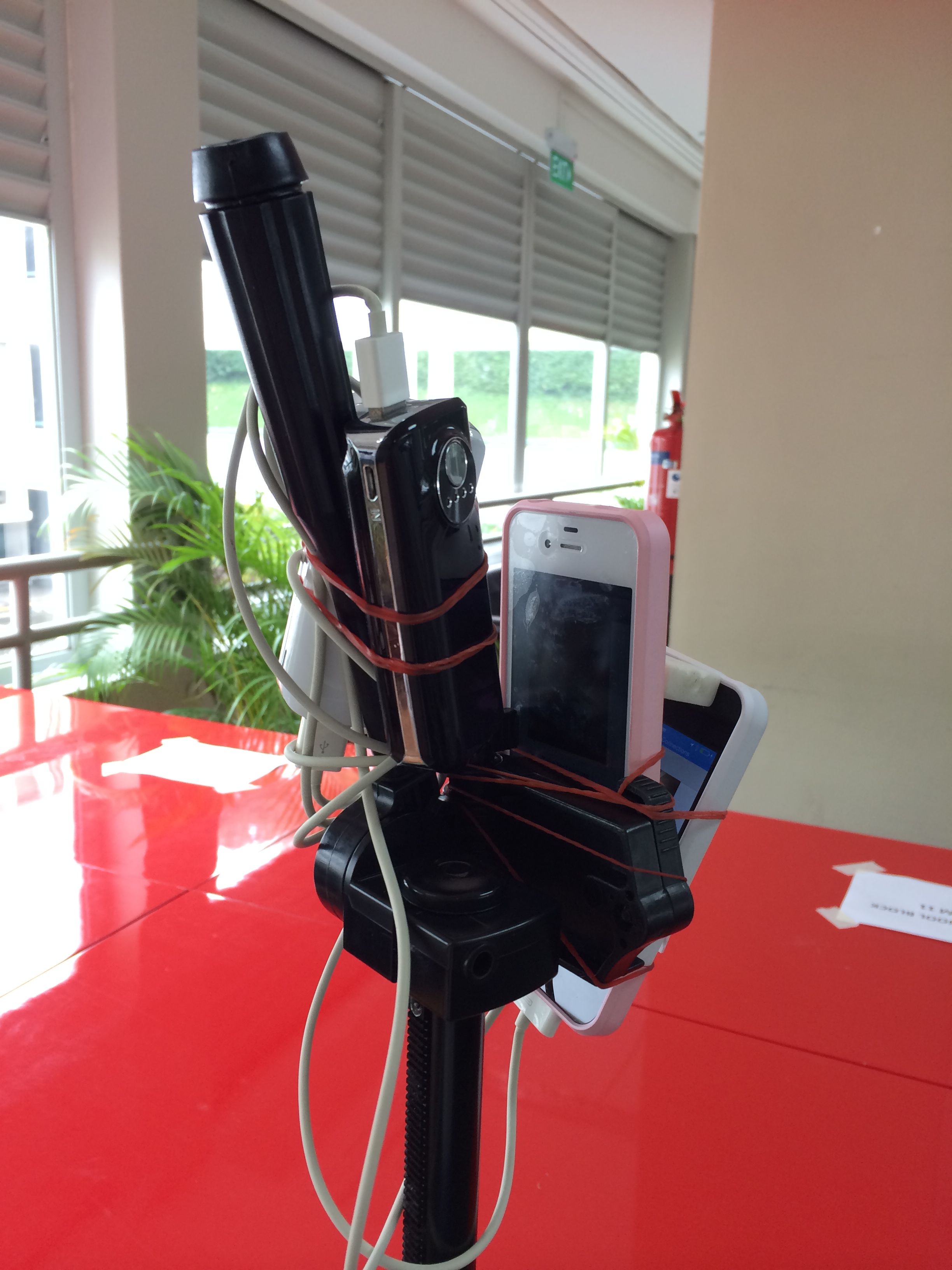
We’re proud of this one.
- Two iPhone 4Ss
- housed in two no brand cases
- powered by two no brand external batteries
- mounted on a Nikon tripod
- using a bunch of rubber bands borrowed from Ms Joanna Tan
- angled with an eraser
- remotely controlled by “Mother”, a 4th generation iPod touch or sometimes an iPhone 5s
- transferring photos to “Boss”, a Mid 2010 13″ MacBook Pro
- using an AirPort Express base station that gave us fast WiFi in a school with delightful WiFi speeds
That’s how cheapskate we are.
Software
With such beautiful hardware, we needed DIY software to match. Thanks to the school’s generous funding of S$128, we enrolled in the iOS Developer Program for a year, and programmed our own apps: CaptureClient, CaptureServer, and CaptureBoss. How they're used is explained in the next section.
We’d like to acknowledge the following open source projects that made our work much easier:
- CocoaPods
- Bill Dudney’s Server
- Matt Steven’s RoutingHTTPServer
- Robbie Hanson’s CocoaHTTPServer
- BlocksKit
- AFNetworking
Taking the photos //TODO: better title pls
The phones were stacked on top of each other (show photo) and the capturing of the photos was controlled by “The mother”. Press “capture” on “The mother” and both phones simultaneously take a picture.
Just imagine standing in your favorite spot of the school, swiveling two phones in a full revolution, constantly clicking “capture” on “The mother” for every 10° you turn the cameras. Repeat that 4-5 times, tilting the two phones gradually towards the ceiling or the floor for each revolution and tadah! You have successfully captured a panorama! In individual shots! So now, you have pictures of lights, lights, and more lights (for pictures of the ceiling that is)! Repeat the process around 400 spots in the school and you’re done!
Processing
Hehehehehehe